n8n
Workflow automation platform for building AI agents and connecting apps
🎬 Product Demos & Video Guides
2 VideosWatch these curated walkthroughs to master n8n from beginner setup to advanced features:
1. n8n Tutorial – Zero to Hero Course (freeCodeCamp.org)
2. Master 80% of n8n in 36 Minutes (Futurepedia)
n8n (n8n.io) Review
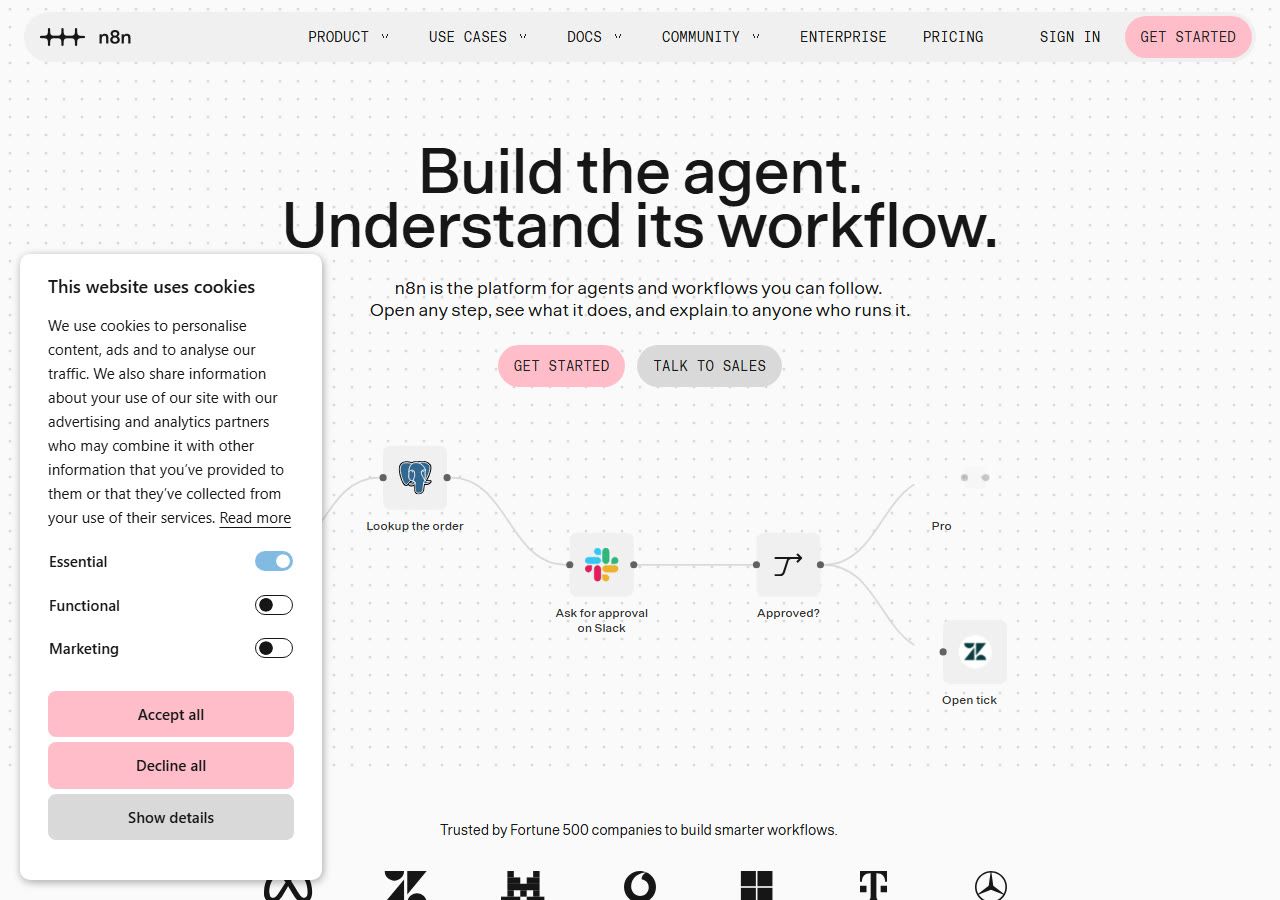
n8n is a workflow automation platform for connecting apps and building AI agent workflows. It offers a visual builder, 500+ integrations and human-in-the-loop controls, and can be self-hosted from its source code or used as a hosted cloud service.
In-depth review: what n8n actually does
Checked 29 Oct 2026n8n is a workflow automation platform with a visual builder and native AI agent nodes. You connect apps, add logic and run the workflow on a schedule or a webhook.
It can be self-hosted from source or used as a hosted cloud service. Cloud plans start at €20 per month and are priced by monthly executions.
The platform lists more than 500 integrations. It also exposes a public REST API, so external systems can trigger and manage workflows.
Features worth knowing
Workflows are built as a node graph. Each node is an app action, a trigger or a logic step. You can inspect the data between nodes and rerun a single step while debugging.
Agent nodes let a workflow call a model and choose tools. The model can decide which connected app to use. That turns a fixed script into a branching assistant.
Prebuilt connectors cover CRMs, sheets, email, chat and databases. Generic HTTP and webhook nodes handle anything without a connector. Custom code runs in JavaScript or Python nodes.
A workflow can pause for approval before it sends an email or updates a record. That control matters for finance, support and any action a customer will see.
You can run n8n on your own server from the source code. Data stays in your environment. The trade-off is that upgrades, backups and scaling become your job.
How an n8n workflow runs
A trigger starts the run. That can be a schedule, a webhook, an app event or a manual click. The trigger passes data to the next node.
Each node transforms the payload. You can branch, merge, loop and wait. The editor shows the input and output of every step, which shortens debugging.
At the end, the workflow writes to an app, calls an API or sends a message. Execution logs show what ran and what failed. Failed runs can be retried.
Cloud pricing and self-hosting
Cloud plans start at €20 per month. The meter is monthly executions, not users. A workflow that polls every minute burns executions faster than one that runs on demand.
Self-hosting removes the execution fee but adds server cost and maintenance. You install from source, manage a database and apply upgrades yourself.
Compare the two on total cost. A small team with steady volume often finds the cloud plan cheaper once admin time is counted.
Where it fits
Ops teams use it to connect tools that lack native integrations. Sales teams route leads and enrich records. Support teams triage tickets with a model in the loop.
It suits builders who want code when they need it. A JavaScript node can sit between two no-code steps. That flexibility is the main draw over simpler automation apps.
It is not a full application platform. Complex user interfaces and long-running services belong in a custom app.
What to check before you commit
Count executions per month at current volume, then double it. Retries and polling add up.
Review the licence terms if you plan to resell automation or host for clients. Self-hosting has conditions attached.
Test error handling before you rely on a workflow. Set retries and alerts so a failed run does not fail silently.
Limitations to weigh first
- –Cloud plans bill by executions, so frequent polling raises cost.
- –Self-hosting shifts upgrades, backups and scaling onto your team.
- –The licence restricts some commercial redistribution.
- –Complex workflows need the same testing discipline as code.
Common questions
Is n8n free?
The source code can be self-hosted under its licence. Hosted cloud plans start at €20 per month and are billed by monthly executions.
Can n8n build AI agents?
Yes. Agent nodes let a model choose tools and branch inside a workflow. You can combine them with regular app nodes and code steps.
How many integrations does n8n have?
The vendor lists more than 500 app integrations. Generic HTTP, webhook and code nodes cover services without a dedicated connector.
Does n8n charge per user?
Cloud plans are priced by monthly executions rather than seats. Check the pricing page for current plan limits.
Details checked against: n8n homepage · n8n pricing
🏆 Feature this Award on Your Website
Official 2026 BadgeAre you part of the n8n team? Embed your verified benchmark badge on your landing page or press kit:

<a href="https://www.topai-tools.org/tools/n8n" target="_blank" rel="noopener">
  <img src="https://www.topai-tools.org/badges/verified-2026.svg" alt="Featured on Top AI Tools 2026 Directory" width="220" height="54" />
</a>
Key Capabilities & Features
- •Visual workflow builder with AI agent nodes
- •500+ app integrations
- •Human-in-the-loop approval controls
- •Self-hosting from source code
- •Public REST API for programmatic control
- •Cloud plans priced by monthly executions
Pricing, Access & Specs
✓ Strengths & Highlights
- Workflow Automation
✕ Potential Drawbacks
- Cloud plans bill by executions, so frequent polling raises cost.
- Self-hosting shifts upgrades, backups and scaling onto your team.
Community Reviews
No community reviews submitted yet. Be the first to evaluate this tool.
Post a Verified Review
Share your hands-on benchmarks, workflow impressions, and latency notes.