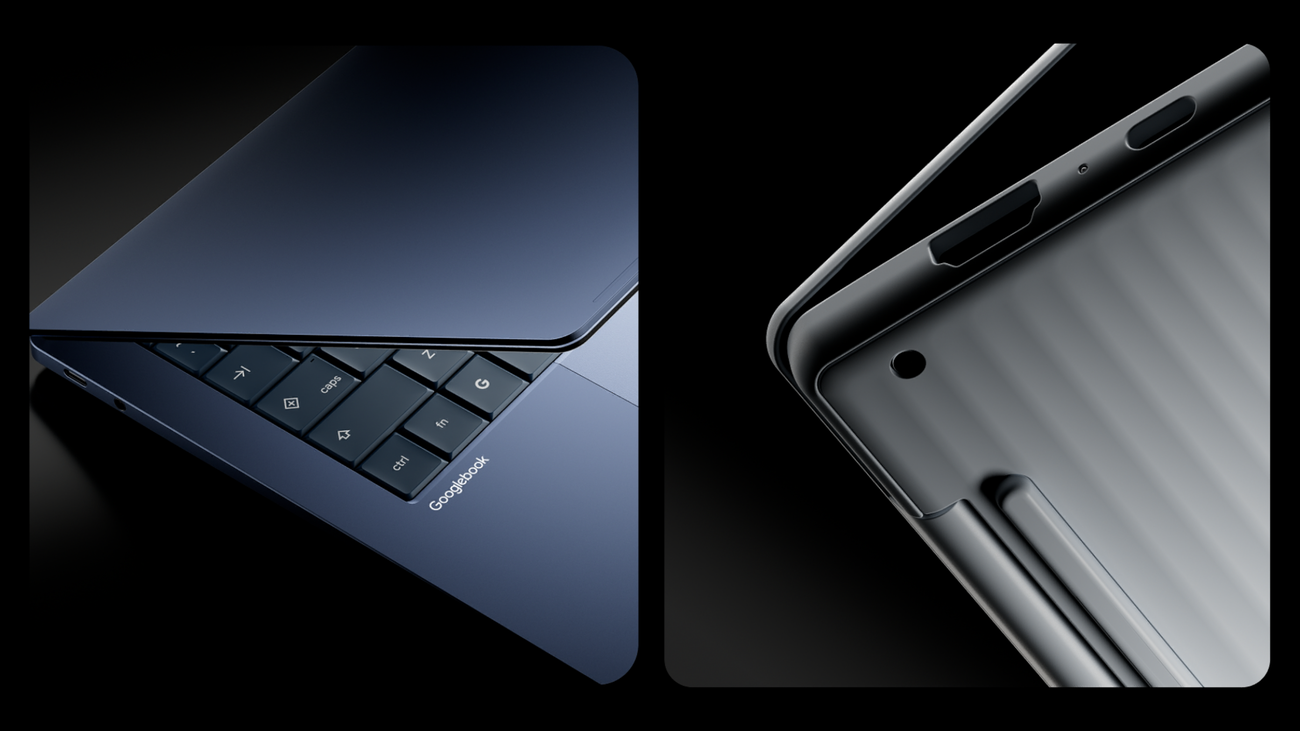
What is in the Googlebook November update?
Google began rolling out the first substantial software update for its Googlebook laptops on 5 November 2026. It arrived just over a month after the devices reached stores. The build is 17.CL3B.260622.286.R2, and Google lists it for all five launch models.
The changelog, posted in the Googlebook Help Center, groups the work into seven areas. It covers inputs and the desktop interface, plus display and video conferencing problems. Bluetooth and audio routing, system performance, the Linux Terminal beta and update reliability round out the list. Every device also receives the November 2026 Android security patch.
Google's own list runs to 30 fixes and improvements before the security patch. 9to5Google counted 31 items, while Android Authority counted 30, so the tally depends on whether the patch is counted. The difference is cosmetic, because both outlets describe the same set of repairs.
Several entries address complaints that owners and reviewers raised within weeks of launch. The update fixes keystrokes that failed to register on the lock screen after the lid opened. It stops the Wallpaper & Style app from hanging or crashing. It also repairs a black screen that appeared when DRM-protected video played on an external monitor.
Audio hardware gets attention too. Google says external USB microphones and interfaces, including Focusrite Scarlett and Elgato Wave devices, no longer hit a buffering error that blocked recording. 9to5Google notes that the HP Googlebook 14 receives eight device-specific changes, while the Dell XPS Googlebook 13 receives nine.
- •Lock-screen passwords and PINs accept keystrokes again after the lid opens.
- •The Wallpaper & Style app no longer freezes while browsing wallpaper options.
- •Protected video on an external monitor no longer shows a black screen.
- •USB microphones and audio interfaces record without a buffering error.
- •Bluetooth Low Energy mice reconnect automatically after a restart.
- •Interrupted updates no longer strand a device on fallback boot firmware.
How much RAM does the Googlebook update free?
The headline change is memory. Android Authority reported that the update frees 3GB to 6GB of RAM by cutting the memory used by on-device AI. Google's changelog uses narrower language. It promises improved memory usage for on-device AI, which it says raises multitasking stability on 16GB devices.
The footnotes matter. Google attaches that line to three models with 16GB of RAM. They are the Acer Googlebook 14, the ASUS Googlebook 14 and the Lenovo Googlebook 15. Google does not extend the promise to the HP or Dell models, even though both also offer 16GB configurations at retail.
The term on-device AI covers the models and background services that power local Gemini features. Those processes share memory with the operating system, the browser and open apps. On a 16GB machine, trimming the AI layer leaves more headroom for ordinary work. That is why Google frames the change as a stability fix.
Google has not published a benchmark or a method for the 3GB to 6GB range. The figure comes from the company's briefing to reporters rather than from independent testing, so it should be read as a vendor claim. Real gains will depend on how many local AI features and background services a user keeps active.
The direction of travel is still notable. Googlebook is built around Gemini, and Google's launch material promises dedicated neural processors rated above 45 TOPS. Those features compete with browser tabs for the same memory, and 16GB is the floor across the launch lineup.
Browser memory handling changed as well. Google says it improved stability during heavy tab workloads and reduced unwanted tab reloads. Those fixes target the symptom reviewers noticed most, a laptop that could feel short of memory during ordinary work.
Why did reviewers call Googlebook OS unfinished?
The update arrived after a rough first month of reviews. Engadget scored the $999 Dell XPS Googlebook 6.5 out of 10 and titled its review "Beautiful hardware for a useless platform". Its verdict was blunt. "I'd go so far as to say the entire Googlebook concept is a failure."
ZDNET reached a similar conclusion on different hardware. It gave the $1,299 HP Googlebook 14 a 3.3 out of 5. It wrote that the operating system "just isn't ready for prime time when it comes to app support". The HP pairs a Snapdragon X Elite chip with a 14-inch 2880x1800 OLED panel running at 120Hz.
The complaints were specific. Engadget found that Slack ran only as a phone-style Android app with a single-channel view. Evernote was missing from the Play Store, and Audacity was unavailable. Resizing a photo became a hunt through several editors. ZDNET found Lightroom and Photoshop controls built for touch, and Spotify awkward with a trackpad.
Hardware drew praise from both outlets. Engadget called the 2.2-pound XPS chassis one of the lightest in its size class, with a good screen, keyboard and touchpad. ZDNET described the HP's aluminium body as close to a MacBook Air in feel. The disappointment was concentrated in software rather than build quality.
ZDNET also drew a line between chip families. It tested Intel Core Ultra Series 3 machines from ASUS and Lenovo alongside the Snapdragon HP. The Intel models crashed more often in some apps and spun their fans for no clear reason. The Snapdragon model felt snappier and lasted an hour or two longer.
Benchmarks were respectable for the class. ZDNET measured the HP at 2,549 single-core and 11,671 multi-core in Geekbench 7. That was ahead of the Intel-powered Lenovo Googlebook 15 at 2,349 and 10,289. Engadget recorded 15 hours 15 minutes in PCMark's Android battery test, yet watched CapCut drain half the battery in an hour while idling.
Price sharpened the criticism. Engadget noted that Dell sells a Windows 11 XPS 13 for the same $999. It carries the same Snapdragon X Elite chip and 16GB of RAM. Google's pitch asks buyers to accept a smaller app catalogue without a discount.
Is Googlebook a laptop for developers?
Google's launch material makes a developer case that the reviews largely skipped. Every Googlebook ships with Antigravity, Google's AI agent development platform, and a full Linux terminal. Google says developers can run Claude Code or the Antigravity CLI directly on the device.
The security design is unusual for a consumer laptop. Google describes a Level 5 security-certified pKVM hypervisor that isolates the Linux environment. It sits alongside the Titan hardware root of trust inherited from ChromeOS. In principle, that lets a buyer run coding agents and pull repositories inside a contained virtual machine.
The November changelog suggests the terminal needed work. Six of the 30 listed fixes concern the Linux Terminal beta. Sessions should now survive sleep and tab switches. Forwarded TCP ports, including SSH on port 2222, should stay open, and closing an inactive tab should no longer shut down the Linux VM.
Two kernels appear in the notes. Stability fixes landed on the Linux 6.18 kernel for the Acer, ASUS and Lenovo models. A Linux 6.12 kernel received Android 16 security patches and DisplayPort fixes on the HP and Dell machines.
Google also says updates now refresh Linux VM configuration files in place. That avoids wiping a user's Linux storage or custom openssh-server settings. The detail matters to people who treat the laptop as a development machine rather than a browser.
The terminal still carries a beta label. The update hardened its logging, so keystrokes and console output inside the terminal are no longer written to system diagnostic logs. For developers weighing a Googlebook against a Mac or a Windows laptop, the environment is more dependable but still evolving.
What does a Googlebook cost, and what is included?
Five models launched, built by Acer, ASUS, Dell, HP and Lenovo. Google opened pre-orders on 21 September 2026. The devices reached shelves on 4 October in the US, with Canada, the UK, Ireland, France, Germany and Australia following a day later.
List prices start at $899, according to Google. CNET's launch hands-on recorded the configurations listed at the end of this section. Several of the lower figures were limited-time Best Buy promotions rather than permanent prices.
Every purchase includes 12 months of Google AI Pro, which CNET lists at $200 a year and which bundles 5TB of cloud storage. Buyers also receive three months of YouTube Premium and Adobe Photoshop, plus a year of Nvidia's GeForce Now cloud gaming service.
Google commits to regular feature drops and operating system updates for up to 10 years. That matches the support window Google advertises for new Chromebooks, which the company continues to sell alongside Googlebook.
The processors are Intel Panther Lake and Qualcomm Snapdragon X Elite. Google quotes up to 14 hours of battery life and displays up to 2.8K OLED. Haptic glass trackpads and backlit keyboards appear across the range. Those are vendor figures, and independent testing found capable hardware paired with inconsistent software.
The Glowbar returns as the family signature. It lights up at startup and sweeps to show charge. It is a cosmetic detail, but it is also the fastest way to tell a Googlebook from the Windows laptop sharing the same chassis.
- •Acer Googlebook 14: $899, the only convertible in the launch group, with Intel Core Ultra Series 3.
- •Dell XPS Googlebook 13: $1,199 list, selling for $999 at Best Buy, with Snapdragon X Elite.
- •Lenovo Googlebook 15: $1,299 list, selling for $1,099, with a 15.3-inch OLED screen.
- •HP Googlebook 14: $1,299, with Snapdragon X Elite and a 2.8K OLED panel.
- •ASUS Googlebook 14: $1,299, with an aluminium and magnesium body and ceramic finish.
Are detachable Googlebooks coming?
Google used its Android Dev Summit 2026 developer keynote to say the platform will expand beyond clamshells. According to 9to5Google, Google said Googlebook "spans across large screen form factors from clamshells, convertibles, and soon detachables".
Four of the five launch devices are clamshells. Only the $899 Acer model converts into a tablet, and its tablet mode still has gaps. 9to5Google reported that the desktop, Overview screen and app tray are available only in landscape, even though full-screen apps can open in portrait.
The first detachable is expected from Lenovo. That expectation rests on a July 2026 leak rather than a Google announcement, so the timetable and specifications remain unconfirmed. Google has not given a date for the form factor.
A detachable would test whether Googlebook OS can behave like a tablet operating system, not just a laptop one. The landscape-only interface suggests the software is not there yet. The November update did not mention tablet layout changes.
9to5Google also raised a wider question about Android tablets. If Googlebook OS arrives on slates, buyers will want to know which system high-end Android tablets run in future. Google has not answered that, and the answer will shape how the two platforms divide the market.
For buyers, the practical question is whether to wait. A detachable suits people who want one device for reading, sketching and typing. Anyone who needs a dependable laptop today is choosing among the five shipping models and their current software.
Should you buy a Googlebook now?
The update improves stability without changing what the laptop can run. Google has not announced a wave of new desktop-class apps alongside it. The central complaint in reviews concerned the app catalogue rather than crashes.
That makes the audience narrow but real. If most of your work happens in Chrome, Google Workspace and Android apps, the phone integration is the strongest reason to consider one. That argument grows stronger if you carry an Android phone. The bundled terminal and Antigravity platform add a second use case for developers.
If you depend on desktop software such as Audacity, the full Slack client or heavy photo editing, the reviews suggest waiting. Engadget's advice was to buy the Windows XPS 13 instead at the same price.
Google has not published a roadmap for optimised Android apps. Its launch material named Photoshop, Lightroom, CapCut and streaming services. Reviewers found those either touch-first or narrow. A second software update can fix crashes, but it will not close that gap on its own.
Chromebooks remain on sale, and Google keeps its 10-year update promise for new models. CNET expects the two lines to coexist rather than one replacing the other. Schools and businesses, which buy Chromebooks in volume, have little reason to switch on this evidence.
Three things are worth watching before the holidays. The first is whether the 3GB to 6GB memory gain holds up in independent testing. The second is whether Google ships more optimised apps. The third is the detachable launch and the tablet software that must accompany it.